
Independent Study 1
Due Date: October 30, 2026
Learn about teachable machines and identifying skin cancer.
Demo this to the teacher.
Create two files.
- File one: PX_MachineSkin_lastname.png
- Screen print of the activity
- File two: PX_MachinSkin_lastname.mp4
- Video of testing the machine.
Save the files
- Save your 2 files in google drive under your 2026_2027KleinCollins\Course name
- Upload your 2 files to google classroom.
Reminder: Make sure you complete all tasks before the due date.
Due Date: November 4, 2026
Modify the assignment PX_MachineSkin.png.
Click here to see your team. Grayson will be the lead.
This is the document you will update.
This project will more truely reflect the concept of Independent and Practicum.
To make it a little easier, I gave you an outline and you only need modify it.
You will be judged by your creativity and collabrative skills.
Your arifact "Skin_Cancer_Teachable_Machine_Project" will be what you update.
This assignment has some issues that you will need to solve.
Everyone on the team will present using your final project.
Reminder: Make sure you complete all tasks before the due date.
Due Date: October 19, 2026
Complete the following CMU Lessons.
2: Loops and Strings
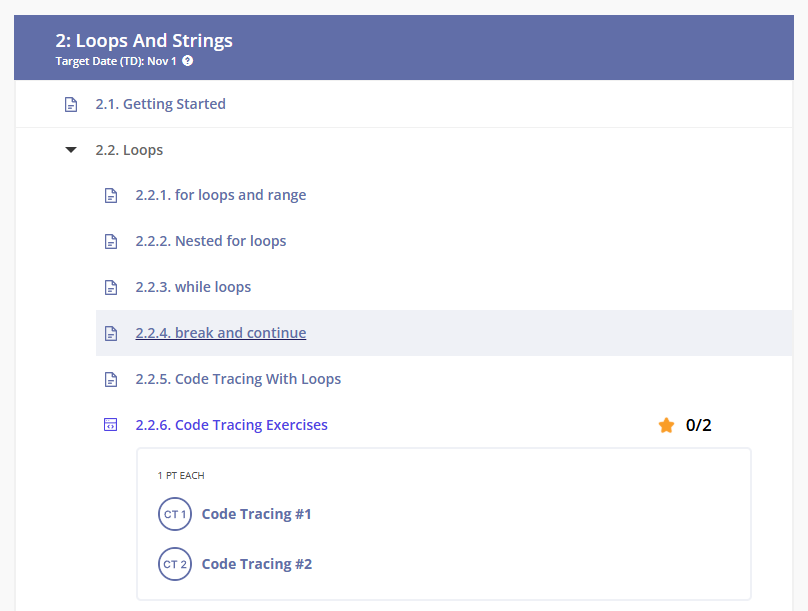
Reminder: Make sure you complete all tasks before the due date.
Due Date: October 20, 2026
Complete the following CMU Lessons.
2: Loops and Strings
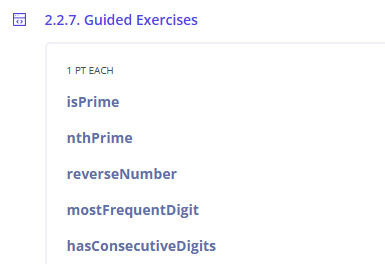
Reminder: Make sure you complete all tasks before the due date.
Due Date: October 22, 2026
Complete the following CMU Lessons.
2: Loops and Strings
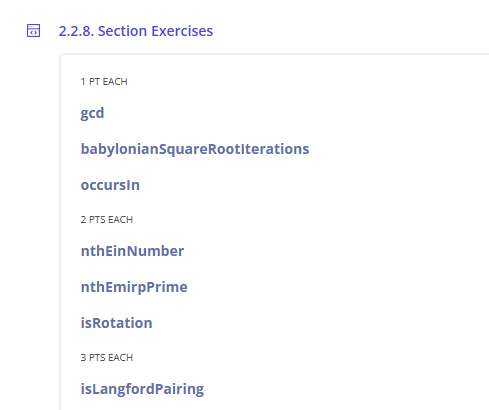
Reminder: Make sure you complete all tasks before the due date.
Due Date: October 23, 2026
Complete the following CMU Lessons.
2: Loops and Strings
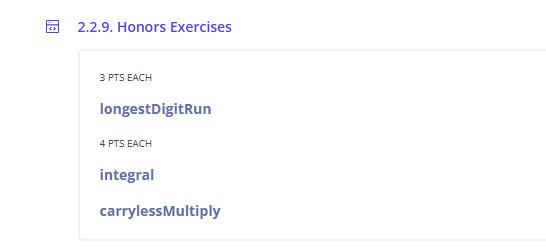
Reminder: Make sure you complete all tasks before the due date.
Resources
CMU CS Academy
What is CMU?
Resources
Resources
Resources
Khan Academy
- To Sign into .
- https://www.khanacademy.org/join/HDUD672S
- Log in using your Klein ISD username and password.
- Click on the next line to join the class.
Resources
Cyber Range and tools
Purpose
- Learn how to log in and access the Cyber Range.
Step 1: Access Your Cyber Range Account
Note: To copy and paste between the Linux virtual environment and your Windows environment, use Ctrl + Shift + Alt.